

FLUX 3
Final images, text inside images and detailed edits.
- Inputs
- Prompt, or prompt plus 1 to 10 reference images
- Output
- 1K, 2K or 4K in 14 aspect ratios
- Credits
- 10, 24 or 130 per image

Black Forest Labs FLUX 3, live on Nano AI
Write a prompt or add up to 10 reference images, and FLUX 3 renders it at 1K, 2K or 4K. The same account also runs FLUX 3 Image Klein for fast drafts and FLUX 3 Video for clips up to 20 seconds.
Every image on this page was generated with FLUX 3 on Nano AI.
Workspace
Choose a resolution and aspect ratio, write your prompt and generate. Sign in to spend your credits; every result is saved to your history.
Samples
Three prompts, one run each, no retouching. Copy a prompt and try it in the workspace above.
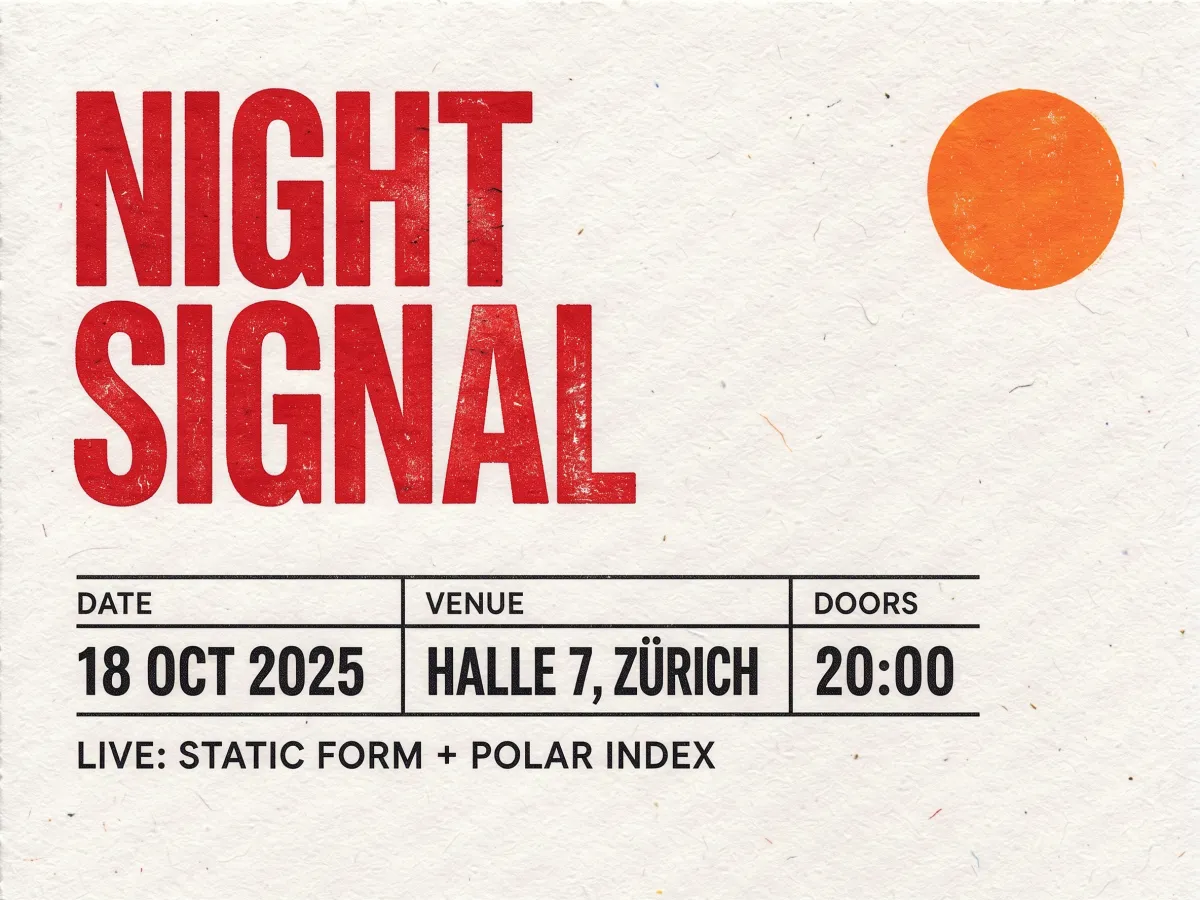
The headline, the event grid and the venue line all came out spelled correctly.
Minimal Swiss-style concert poster on textured off-white paper, bold red headline text reading 'NIGHT SIGNAL', small black grid of event details, a single orange circle, visible printed ink texture

Soft window light, a clean shadow and true material texture for store and ad images.
Studio product photo of a matte ceramic coffee cup on a travertine block, soft window light from the left, long gentle shadow, beige and sage palette, clean e-commerce hero composition
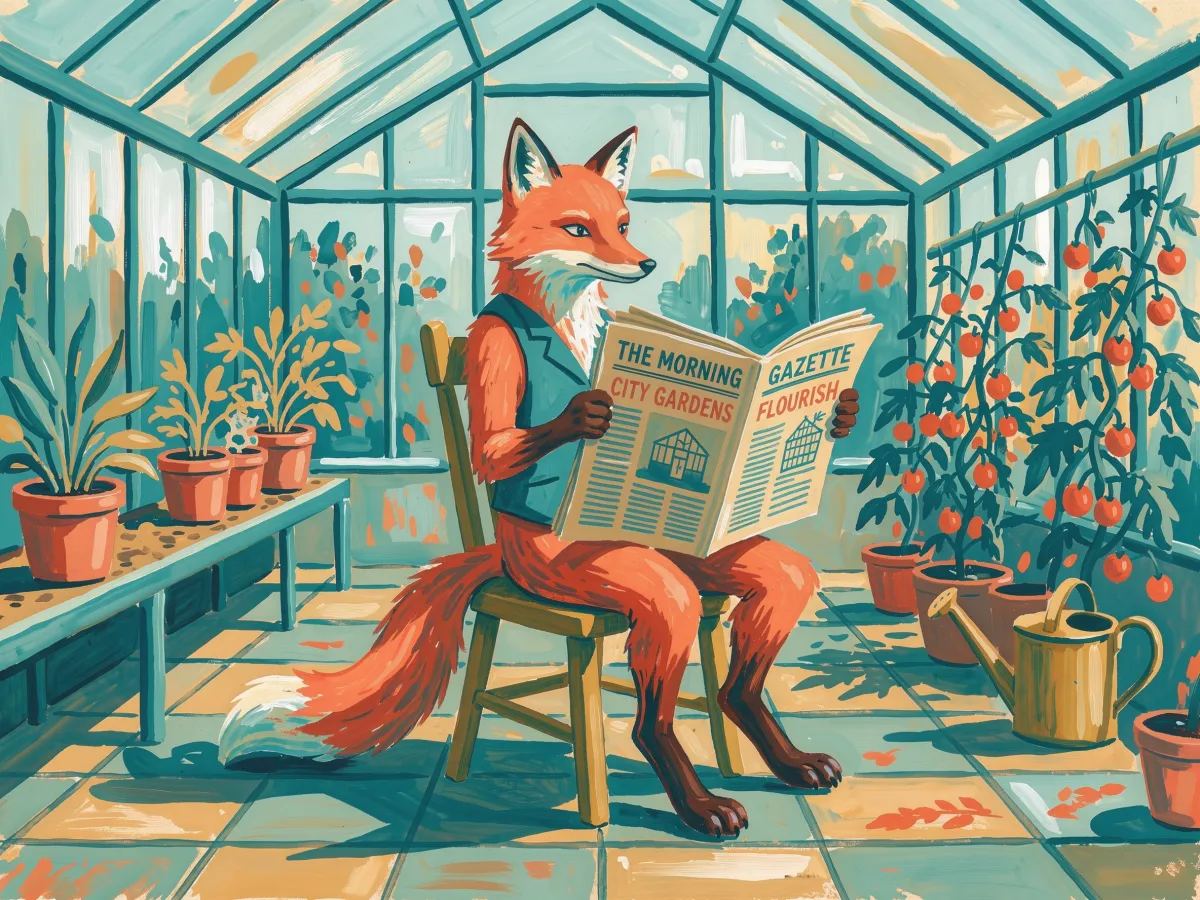
Gouache texture and a limited palette stay consistent across the whole scene.
Editorial illustration of a fox reading a newspaper in a sunlit greenhouse, gouache texture, limited palette of teal, mustard and coral, visible brush strokes
FLUX 3 is the multimodal model family Black Forest Labs announced on July 23, 2026. One architecture handles images, video with native audio and, through partners, robot actions.
The rollout is split into separate products: FLUX 3 Video, FLUX 3 Image, the smaller FLUX 3 Image Klein, FLUX 3 Action, and FLUX 3 Dev open weights, which BFL says are coming soon. Nano AI runs FLUX 3, FLUX 3 Image Klein and FLUX 3 Video through a hosted API.
FLUX 3 on Nano AI
Each model has its own controls and credit price. Pick by the job you need done.
Final images, text inside images and detailed edits.
Fast drafts and cheap iterations before the final render.
Short clips with optional native audio.
How it works
Name the subject, setting, light and style. Put any words you want rendered in the image inside quotes.
Upload up to 10 images for product swaps, style matching or a consistent character. Leave the aspect ratio empty to follow the first image.
Test the idea at 1K, then rerun the one you like at 2K or 4K.
FAQ
Yes. FLUX 3 text-to-image and image editing run in the workspace on this page. You need a Nano AI account and credits; there is nothing to install.
Black Forest Labs, the team behind FLUX.1 and FLUX.2. Nano AI is an independent platform that runs FLUX 3 through an API provider and is not affiliated with Black Forest Labs.
One image costs 10 credits at 1K, 24 at 2K and 130 at 4K. FLUX 3 Image Klein starts at 2 credits, and FLUX 3 Video is billed per second of output.
Yes. Upload 1 to 10 reference images and describe the change. FLUX 3 uses them for edits, product placement, style transfer or keeping a character consistent.
It handles short headlines and labels well, as the poster sample shows. Put the exact words in quotes, keep them short and check the spelling before you publish.
Klein is the smaller, faster model: up to 2K and 3 reference images, from 2 credits. FLUX 3 costs more but reaches 4K, takes 10 references and keeps more detail.
Yes, through FLUX 3 Video: text-to-video, image-to-video, start-and-end-frame transitions and clip extension, 5 to 20 seconds at 720p or 1080p, with optional audio.
Not yet. Black Forest Labs says open weights for the FLUX 3 Dev backbone are coming soon. Until then FLUX 3 runs through hosted APIs like the one this workspace uses.
FLUX 3
Nano AI is an independent platform and is not affiliated with or endorsed by Black Forest Labs. FLUX and FLUX 3 are trademarks of their owner.